

We’re very excited to announce the release of the Pocketbook mobile app on iPhone.
It’s been hard work for a few months, designing and building the app with the same ridiculous simplicity in mind as our website. We promise it will be the simplest spending and expense tracker, or budgeting app you’ve ever used.
You may even want to throw away your online banking apps too! … We have.

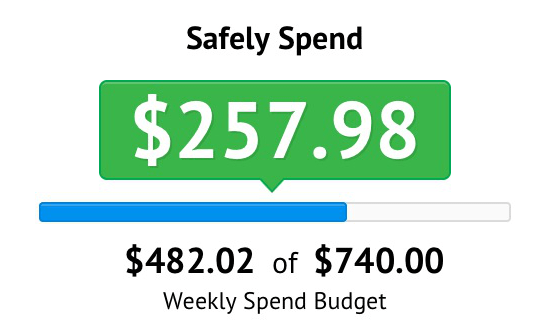
Safely Spend at its core
It’s extremely useful to pull out your phone and how you’re going against budget. Answering questions like:
– How much can I take out from the ATM? – while at the pub, or
– Can I afford to eat out tonight? – while on the bus home from work
Safely Spend automatically generates a number based on your previous spending outside of your bills, and sends you notifications when you get close or go over.
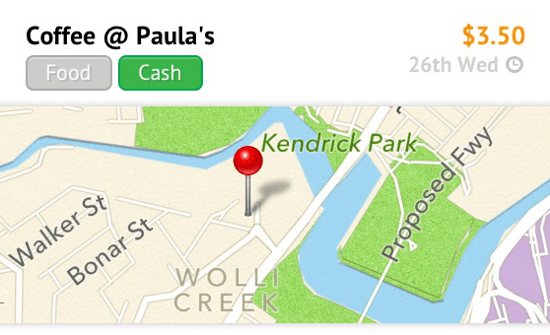
Manually enter cash transactions
You have told us – “We spend lots with cash too!” – and we agree, the picture isn’t really complete until you can account for these. So the iPhone app allows you to input cash transactions. But we’ve made it super smart so it’s not a chore.
Enter in Coffee, and the app knows it’s “Food”, enter in Coles, and it’s “Groceries”.
We also let you geo-locate your spending with a button. This helps you keep record of where that great cafe was or where you went on that taxi trip.
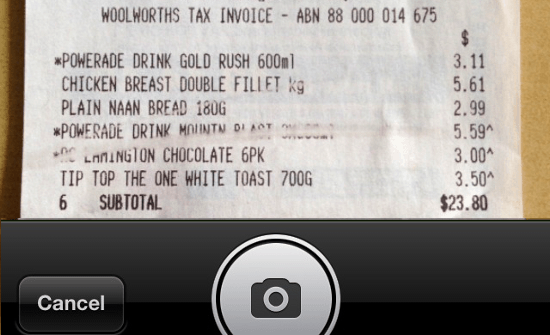
Snap photos of receipts and more
One thing I dread is not being able to find that receipt or invoice when you need it most. So the app lets you snap a photo and link it to the transaction, so it’s never lost.
You can also get creative – snapping photos of warranty information, the bill that was paid or even photos of the item you bought. We give you that flexibility.
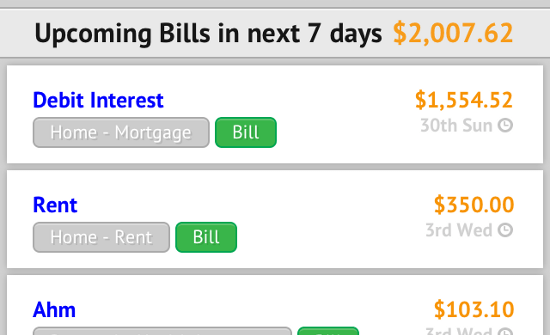
Same Pocketbook, but built for “on the go”
As we’ve designed the Pocketbook app with a different user experience in mind, we’ve adapted the features to suit.
You get the core features you love, like bank feeds and auto-categorisation – straight out of the box. But now you’ll get late bill and large fee alerts via push notifications. You will also see upcoming bill commitments in a more iPhone friendly list view.
Committed to making it even better
We’ve already got some great ideas on how to improve the app even further, and we’re busy building the Android version for all you Android fanatics.
In the meantime, if you spot anything, please use the Feedback feature in the app’s menu to let us know what you think.
You can get the app via the Apple AppStore here.
Bosco

Cash doesn’t magically appear in the wallet. If I withdraw some money from an account and then record cash transactions from spending that money, Pocketbook counts it twice in the “Safely spend” – once as a cash withdrawal, and then for each cash transaction thereafter. How will this be resolved?
Hi Jaron, yes, we’re resolving this in the next version – giving you the option to link spending money category and cash transactions
Is this app avalailable on other phones i.e Samsung Galaxy?
We’re busy working on it. About 2 months away.
Hello
New user. I have two questions:
Is it possible to set up ‘favourites’ for cash transactions?
Eg, I buy a coffee from the same cafe on each of my working days.
Also, can i change the date for a cash transaction. I often forget to input my petty cash spending on the day i do it.
At the moment several of my takeaway coffees from work turn up on a Sunday (which I’ve just realised is the first day of the next week…)
Cheers
Hi Georgie,
Welcome – on your questions, no favourites yet – but that’s a great idea. Do you want to perhaps start typing for it to autofill? or just select from a list?
Date change on cash transactions will come. And should solve your Sunday problem soon
Thanks
Bosco
I vote for favourites with an autofill!
Thanks! we’ve had this feedback 🙂 Will think about favourites.
Is pocket book going to support code generator for commonwealth bank, because that is stopping me from signing up to use your app.
We’ll support that in the future. Thanks in advance for your patience.
Is there a wp8 app? Unlikely huh… well icons for banks aren’t working or appearing for mobile web. Please at least improve functionality for mweb please.
Can you take us a screenshot of this? – email us at
The app does not seem to work on ios 7 beta 3/4, I understand ‘beta’ is the answer but is the app not compatible with the next version of ios yet, given that it came out around beta 1 ? It seems to be stuck on the logo page and does not progress to the login page
We are currently waiting on a patch fix for this. Should be good for when the OS is officially launched. We thank you for your patience.
iOS 7, pocketbook isn’t working. Will there be an update for compatibility before iOS 7 releases?
We are currently waiting on a patch fix for this. Should be good for when the OS is officially launched. We thank you for your patience.
Hi!
I’ve only just started using this service and it is great!
I was just wondering if there was any progress on the Android App? And Also if you needed beta testers 🙂
Great job guys!
https://www.facebook.com/photo.php?fbid=568577483205855&set=pb.403067009756904.-2207520000.1376034410.&type=3&theater
Shoot us an email to
What is your privacy policy? i.e. What happens to the data you collect through your App?
see here – https://getpocketbook.com/privacy