"No Maintenance Fees" = Bankwest Integration Today

We’ve been around for a couple of months now and so far our users are taking a liking to what we are doing. And they want more!

So today we started working on Bankwest integration – a lot of users have been asking for it. I like Bankwest as they are seen as the under-dog bank taking it up to the big boys (even though they are owned by CBA) and seem to generally be more customer focused. They also have some great features such as no fees at all major bank ATMs Australia wide.

My Bankwest Account

I have an account with them which I don’t use often and I logged in today and saw the following.

I had been under the impression that the account had no maintenance fees and this looked to be confirmed on their website.

So I called up Bankwest to find out what was going on.

The operator proceeded to advise that the account does have a fee which is not a maintenance fee (even though the transaction description is “Maintenance Fee”) and I should read the product disclosure statement (even though the website states “There is no maintenance fee applicable to this account.” – without a hint of an asterisk or qualification).

Bankwest Integration Today

It got me so riled up that I thought I’d write about it. I’m calling them out because it’s deceptive. I don’t mind paying the fee if they tell me about it instead of stating no maintenance fees on the account. And of course they don’t remind you at all that your being charged fees.

We created Pocketbook to help make peoples lives simpler. Trying to keep on top of multiple bank accounts is hard – we even notify you of fees on your bank account =D.

It’s given me even more incentive to get Bankwest integration into Pocketbook. So I’m drawing a line in the sand – by the end of this day – we will release Bankwest integration.

Alvin

Save money on petrol – planning is key

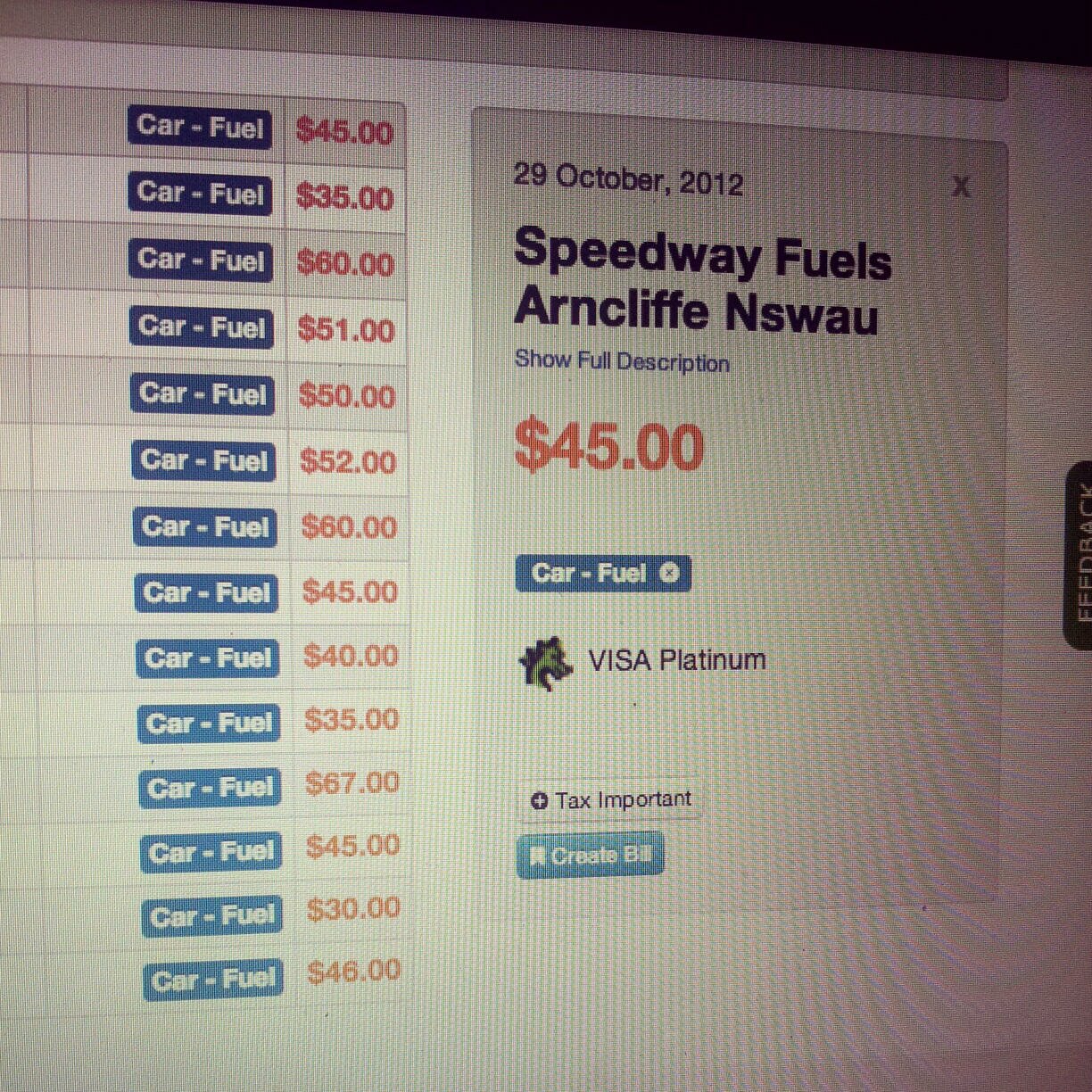
It seems like I routinely pay $50 for less than half a tank of petrol these days. And until my recent move off the corporate salary, I’ve never really analysed how much I spent on fuel.

In 2010, Australian Bureau of Statistics found Australian households spend $51 a week on fuel. With petrol prices skyrocketing (up 15% from 2010 to today) and likely to increase further, it’s a good idea to look at how you can save on trips to the bowser systematically.

Those in the know have for years understood the fuel cycle – the regular weekly rise and fall of prices. If you follow this closely, you can typically save around $600 a year per car. Enough for that new second TV for the bedroom.

Understand Fuel Costs with Pocketbook

We at Pocketbook like two tools on the web to help you plan:

  1. Help you decide which day – The Australian Competition & Consumer Commission (ACCC) gives a weekly update of the cheapest day across Australian Capital cities. While this often doesn’t change, it’s a good idea to keep an eye on it from time to time.
  2. Help you decide which pump on the day – Motor Mouth provides a search for the cheapest fuel in your local area on a daily basis.

So are you saving as much as you could on petrol? Pocketbook can help you easily figure out how much you’re spending on fuel in total, so you can get straight those strategies for saving.

Bosco

Hate Bank Fees? – Deal With Them in Real-Time

Bank fees are sneaky!

Whenever looking at my transactions online, I always find myself balling my fist and gesturing in rage. All these poorly reasoned and described fees! I wish there was a simple way to react in real time.

Here’s a quick list of some fees I hate.

ATM Fees: These are probably the most common. $2 to $2.50 for every withdraw from ATMs belonging to other banks. I’m constantly surprised at how they all add up.
 
Foreign Exchange Fees: This one kills me when I travel overseas. However, what’s more annoying is that with my online purchases increasing over the years, this fee (up to 5% of total transaction value) has steadily increased.
 
Transaction Processing Fees: Most banking products limit the number of transactions per week or month. This means, whenever I go over these limits, I get charged.
 
Cash Advancement Fees: As a frequent credit card user, I sometimes mistakingly withdraw cash from my credit card at the ATM. This wacks me with a fee of up-to $15 per transaction.
 
Minimum Balance Fees: Some savings accounts have minimum balance requirements. These fees have become less common over the years. I used to have to make sure there’s enough money in my savings account at the end of every month.
 
Monthly or Annual Fees: This applies to almost all my accounts. The biggest surprise for me always is my annual mortgage package fees. Typically a big $400 hit when I least expect it.
 
Overdraft Fees: This is where deductions are made from my account despite there not being enough funds. This typically happens with direct debit bill payments, charging up to $30 to $40 per violation.
 
Account Closing Fees: Some banks also charge a nominal fee to close an account. However these are also becoming less common.

Tips to minimise fees

If you’re just like me, I’m sure you can use these tips I’ve gathered for minimising fees:

1) Read the terms and conditions for the account carefully, and get special exemptions (ie waived annual fee offered to you only) in writing from your bank representative or broker, before you sign.

2) Monitor transaction history periodically to make sure they reflect the arrangements you agreed to when purchasing the product.

3) Get educated about competitor products to discover those that may suit your lifestyle better. For example, if you’re becoming a frequent online shopper or travelling more overseas, a credit card with less or no FX transaction fees start to make more sense.

Pocketbook Bank Fee Notice

How Pocketbook helps with minimising fees

Pocketbook can help you today in a number of ways:

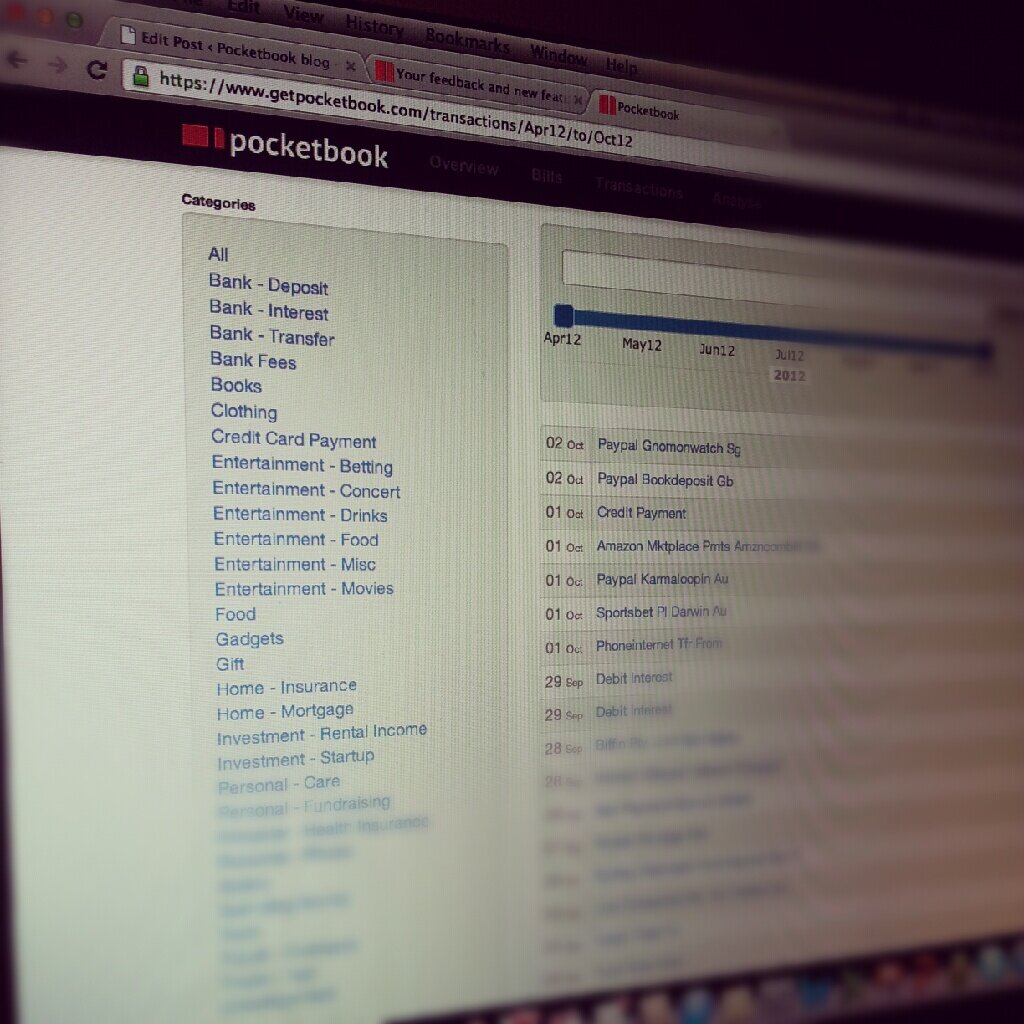
1) Automatically tagging bank fees as transaction history is updated. This not only allows you to discover new charges, but also gives a quick view of totals so you can do more analysis.

2) Automatically tagging monthly fee commitments as “bills”, so you no longer are surprised by the timing of these charges.

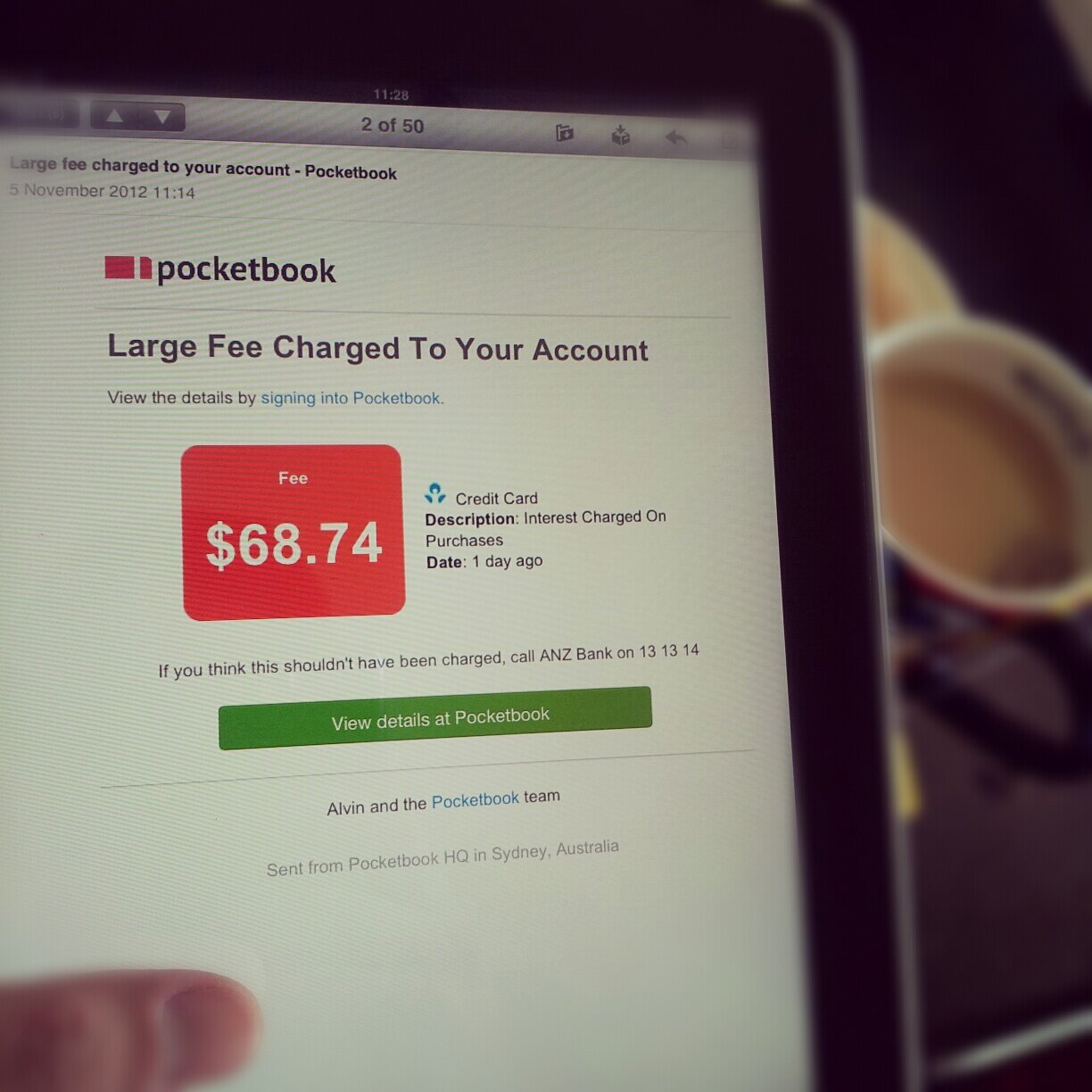
3) Sending alerts to your email when bank fees are significant in real-time. Providing you with the name of the account, the label on the transaction, as well as the bank’s service number (see picture above). Allowing you to deal with the bank in real-time where a fee is unjust.

Just some of the ways we’re making managing bank fees and personal finance ridiculously simple for you!

Bosco

Telling Friends About Pocketbook Is Now Easier

Personal finance topics like buying shares and saving for a house are common Sunday barbecue conversations with family or friends. Certainly, whenever there’s a cheap airline promo, emails make the rounds pretty quickly among my mates.

Talking to our customers, we’ve learnt that Pocketbook is starting to creep into these conversations too.

Users have recommended Pocketbook when friends tell them about their savings goals, or how they’re struggling to save. Others have spread the word simply because they were so impressed by how easy Pocketbook was to use.

Pocketbook Invite a Friend

So to make inviting friends easier, we’ve added a blue “Invite a Friend” button on the menu bar. All you need is your friend’s email address for a friendly invitation to be sent.

This also allows your friend to get started right away. Skipping our current beta waiting time.

Happy inviting!

Bosco

Am I “normal” in the way I spend?

As I use Pocketbook to breakdown my spending habits, I can’t help but wonder; Am I ‘normal’ in the way I spend? Do I save enough?

For peace of mind, I started to scour the Internet for answers. Here’s a few reference points I found that helped.

Spending in buckets, not bucket-loads of spending

In September, ASIC (the body that regulates companies in Australia) put together this infographic on the average spending habits of Australians, at different life stages (see below). This is a great starting point to check whether or not my buckets of spending are at the right size.

ASIC moneysmart infographic

What about savings?

The “Household Saving Rate” (total savings vs total income) is used to help economists understand consumer confidence (where less saving = more spending = more money circulating in the economy). I found this to be a simple way to compare my saving habits against the rest of Australia.

Interestingly, today’s Household Saving Rate is around 10-15% of income – which is a 30 year high, having risen quickly from all time lows of 5% during the mid 2000s. Recent uncertainty in the economy being the big contributor to consumers being cautious.

With this in mind, a target of 15% seems like the sensible place to benchmark.

Some simple maths

These numbers gave me the simple tools to compare myself against what’s considered “normal” today. So without boring you with detailed decimals, here is an example.

If you’re under 35 year old, single and taking home $1,000 a week, you should be targeting the following:
 
Save $150 a week
 
Spend:
   under $300 a week on rent / mortgage
   around $100 a week on groceries
   under $150 a week on cars and trains
   around $130 on recreation, entertainment and alcohol

 
How do you compare?

The best way to budget is to use these as future goals and slowly start to change spending behaviour based on history. As always, Pocketbook is the easiest way to track and catagorise past spending. Most of the work is done automatically. You can try it here. It took me only minutes.

And for the record, my benchmark tells me I’ve got A LOT to work on…

Bosco

Infographic via ASIC, moneysmart.gov.au

Sunday Update – Best Consumed While Having Breakfast/Coffee

Keeping up-to date on your accounts/bills/finances is difficult for the best of us. Trying to do this regularly is something most people dread.

So we built something that would do it for you.

We’re calling it ‘Your Sunday Update’ – it’s an email we send out around 9:30-10am on Sunday to our users. But not just any email – it’s a snapshot of your last week and your upcoming week – in byte sized chunks.

We know that people don’t want to spend too much of their prized ‘Sunday time’ going over their accounts but people do want to feel in control. So the challenge was to provide succinct information that people would find empowering and could be consumed in a minute or so.

We’ve kept it very minimalist and bloat free. Everything is clickable so for the people that do want more info on a particular item – it’s just a click-away.

All in couple of minutes – on Sunday morning while your enjoying your breakfast and coffee outside in the Sydney sun.

Alvin

From corporate salary to startup bootstrap

Joining Pocketbook last week forced me to make a significant lifestyle choice – no more corporate salary. This meant some serious financial belt tightening was required so I could support myself.

I have a pretty complex financial situation; accounts with a few banks, 2 credit cards and some investment mortgages. I’ve always done okay using Excel, putting in some grunt work to help me understand whether I could afford to buy the car, or get a mortgage before these important purchases.

In this case however, the thought of doing this analysis weekly myself so I can track and change my spending behaviour is something I dreaded.

Using Pocketbook

Pocketbook is great because it segments my spending into different areas – without me doing that hard-work. I can then drill down and work out what the spending is and if I can potentially cut back in that area.

Using this, I quickly zoned in on my discretionary spending and started to target some easy fixes to reduce overall weekly spending by 25%. All without significantly changing my lifestyle.

So out of this, I’ve set myself 4 simple steps:

Cutting 1 night of going out each week – I spend way too much on “Entertainment”. By cutting out 1 night, I can reduce 20% in this category.

Sending daily deals emails to a special folder – I’m pretty bad with jumping on emailed deals on a whim, buying too much online. So now, all these emails go to a special folder, out of sight, out of mind. I’m targeting a 70% reduction in “Ecommerce”.

Getting on a pushbike – I spend a lot of money on petrol these days. Now that I’m working from our home office (‘Silicon Creek’!), within biking distance away, I’ve dusted off the old pushbike. I think this can save me 30% on “Car & Travel”.

Making my own lunches – Most of my “Personal” spending is on lunch money. If I cut most of these and replace it with an extra 20% spent on groceries, that should cover lunches. Besides, a Woolies just opened up right next door!

Budgeting feature coming soon

We’re hard at work here at Pocketbook building out our next big feature – budgeting. We believe the best way to start budgeting is to start with historical spending and make adjustments. Just like how I’ve set the above 4 steps for myself.

As always – our number one goal is to keep it ridiculous simple.

Bosco

Twitter love and new features announcement

Over the past few weeks, we’ve been working towards our raison d’être of making managing your finances “ridiculously simple”. It’s been great to hear feedback from some of our early users about their experience.

You’ve told us via Twitter:

“The banking integration / synchronisation on @getpocketbook is outstanding”

“This @getpocketbook this is awesome! Great way to keep track of where money is going”

“@getpocketbook awesome UI and product”

You’ve also told us via email:

“Loving your product so far! Great work!”

“Early impressions of Pocketbook have been very good, really fast and simple UX”

Thanks for all the great support and excitement about the Pocketbook.

If you’ve signed up, we’re working as fast as we can to activate you, thank you for your patience. If you haven’t signed up, sign up here to see what all the fuss is about.

Some new features

As part of our ongoing march towards simplicity with your money, we’ve added a few things to the product.

We hope you like it! More to come soon.

Bosco